
If you haven’t yet heard about the cyberattack on Logaritme, the main distributor of medical supplies in Catalonia, let me explain. It’s important that you understand it — and learn how to prevent ransomware attacks — because the way this company was targeted, through ransomware that blocked its entire logistics system, is the same method cybercriminals are using to attack clinics and hospitals.
According to the Health-ISAC 2025 report, ransomware was the top threat to the healthcare sector in 2024… and unfortunately, everything suggests these attacks will only continue to rise this year.
And although this time the victim wasn’t a healthcare facility, it still offers a valuable lesson in what ransomware is and how to prevent ransomware attacks in clinics.
What Is a Ransomware Attack and How Could It Impact Your Clinic?
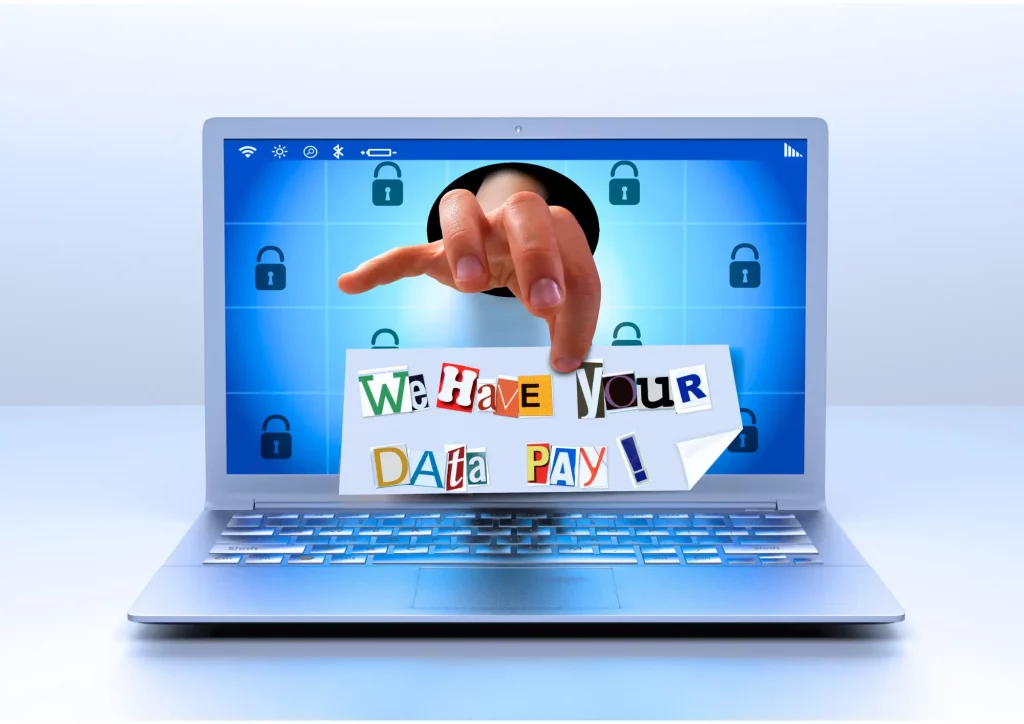
Imagine arriving at your clinic one morning, switching on your computer — and instead of your patient schedule, health records or billing system, the only thing you see is a message:
“Your data has been encrypted. If you want to recover it, pay.”
That’s a ransomware attack: a type of malware that sneaks into your systems, locks them completely, and then demands a ransom to unlock them.
In many cases, in addition to encrypting your files, the attackers steal sensitive information — and if you don’t pay, they threaten to leak it publicly.
This is exactly the kind of attack that hit Logaritme, a company that distributes medical supplies to over 180 healthcare centres in Catalonia.
And it’s the same kind of attack we’ve seen in recent years in cases like Hospital Clínic de Barcelona and Zagreb University Hospital.
How Does Ransomware Get Into a Clinic?
There are several entry points through which this type of attack can infiltrate your healthcare facility. Here’s a summary of the most common ones:
- Human error (phishing or malicious emails): clicking on infected links or attachments.
- Exposed ports and insecure configurations: open internet-facing access points that attackers already know about.
👉 I explain this in detail in this article on exposed ports. - Access through poorly protected third-party providers: as happened with Logaritme.
- Poorly secured medical devices (IoMT): increasingly common — and vulnerable.
- Outdated software with missing security patches: an easy entry point if no one checks it.
- Weak passwords and no two-factor authentication: especially for remote access like Remote Desktop (port 3389).
What Kind of Ransomware Attack Did Logaritme Suffer?
First of all, let me be clear: no technical details have yet been made public about how this specific attack unfolded. So what I’m about to share is not confirmed fact — it’s a hypothesis based on patterns we’ve seen time and again in similar attacks.
What we do know is that it was a targeted attack, and thankfully, there’s no evidence that any clinics were infected via Logaritme. The attack was directed at their own systems and, so far, it hasn’t spread to their clients.
That said, it appears to have been carefully planned. The impact speaks for itself:
- logistics system paralysed
- data breach
- ransom demand
Although the exact entry point hasn’t been confirmed, we can review the most common attack vectors in similar cases:
- Open internet-facing access points, such as poorly configured ports
- Remote connections with weak credentials or no two-factor authentication
- Suppliers with excessive system access and no access control measures
These are not definitive statements — but if you manage a clinic, you should be aware of them to prevent ransomware attacks before you become a target.

What Is a Targeted Attack — and Why Should You Be Concerned?
The name already gives you a clue. This isn’t about sending out mass emails and hoping someone clicks — like in generic attacks.
A targeted attack comes with a name and surname. The cybercriminal isn’t casting a net into the sea to see what they catch — they’re coming straight for you, knowing exactly what they’re after.
First, they choose a target: a clinic, a hospital, a company like Logaritme, or a medical technology provider. Then they study how that organisation works:
It’s like a burglar spending days watching your clinic from across the street — noting when there’s movement, which doors don’t close properly, and when they can slip in unnoticed.
Once they know where to strike, they start testing:
- Looking for unprotected remote access or misconfigured VPNs
- Using leaked credentials from other breaches
- Exploiting weakly secured third-party access
- Sending highly personalised emails, especially to staff with elevated permissions
They move slowly — but precisely. And that’s what seems to have happened with Logaritme: a surgical, carefully planned attack that didn’t directly hit clinics, but crippled the distribution of critical medical supplies.
Could Early Warning Signs of the Ransomware Attack Have Been Detected?
Yes. In many targeted attacks — and this case may be no exception — there are small warning signs that appear before the system is locked down.
They’re not always obvious, but they’re there. And if no one spots them, the risk increases dramatically.
Learning from the Logaritme attack is a key opportunity to prevent ransomware attacks in clinics — because this can happen to anyone: a clinic, a hospital, a diagnostics centre…
A Visual Analogy
Imagine running a hotel with no reception. No one watches who enters or leaves. Someone could loiter around several times a day — and eventually slip in with malicious intent.
The same happens in your clinic: if no one monitors digital access, someone will eventually break in.
Common Warning Signs
- Remote connections from countries unrelated to your activity
- Access at unusual hours, such as 3 a.m.
- Unauthorised configuration changes
- Unusual traffic on unfamiliar ports or IP addresses
None of these signs alone confirm an attack — but if no one’s watching, the risk becomes inevitable.

Is There a Digital “Check-in/Check-out Log”?
Yes — and it should always be active.
Just like a hotel keeps track of check-ins and check-outs, IT systems have tools to log who accessed what, from where, when, and what actions they performed.
These are called audit logs or event logs, and they’re essential to prevent ransomware attacks in clinics.
What Do These Logs Record?
- Successful and failed login attempts
- IP address and location of the connection
- User actions (deleting files, opening ports, changing passwords)
- System configuration changes
- Unauthorised external connections
Which Tools Let You View These Logs?
- Windows: Event Viewer, Active Directory with auditing, Microsoft Defender for Endpoint
- Full networks: Wazuh, Graylog, Splunk, SIEMs
- Firewalls and routers: most allow exporting logs of access attempts and connected IPs
And Who Should Review Them?
Ideally, your IT team or an external cybersecurity provider, with alerts configured to detect abnormal patterns (e.g. repeated failed logins or connections from unfamiliar countries).
How Do You Know Who’s Entering and Leaving Your System?
Just like a hotel — there’s a log.
And your clinic should have it enabled and reviewed regularly.
Tools like Wazuh, Graylog or Microsoft Defender for Endpoint can help automate this process.
You don’t need to understand their inner workings — what matters is that they’re in place and properly managed by your technical team.
What’s Next?
In the next article, I’ll show you how one of these tools works — and how to read the reports without getting lost in technical jargon.
Because if someone’s snooping around your system, it’s better to spot them before they get in.
Until the next article — and remember: close your doors… and your ports. Cyber-protect yourself.